Open beta for macOS
Agentwake knows when your unattended work is done.
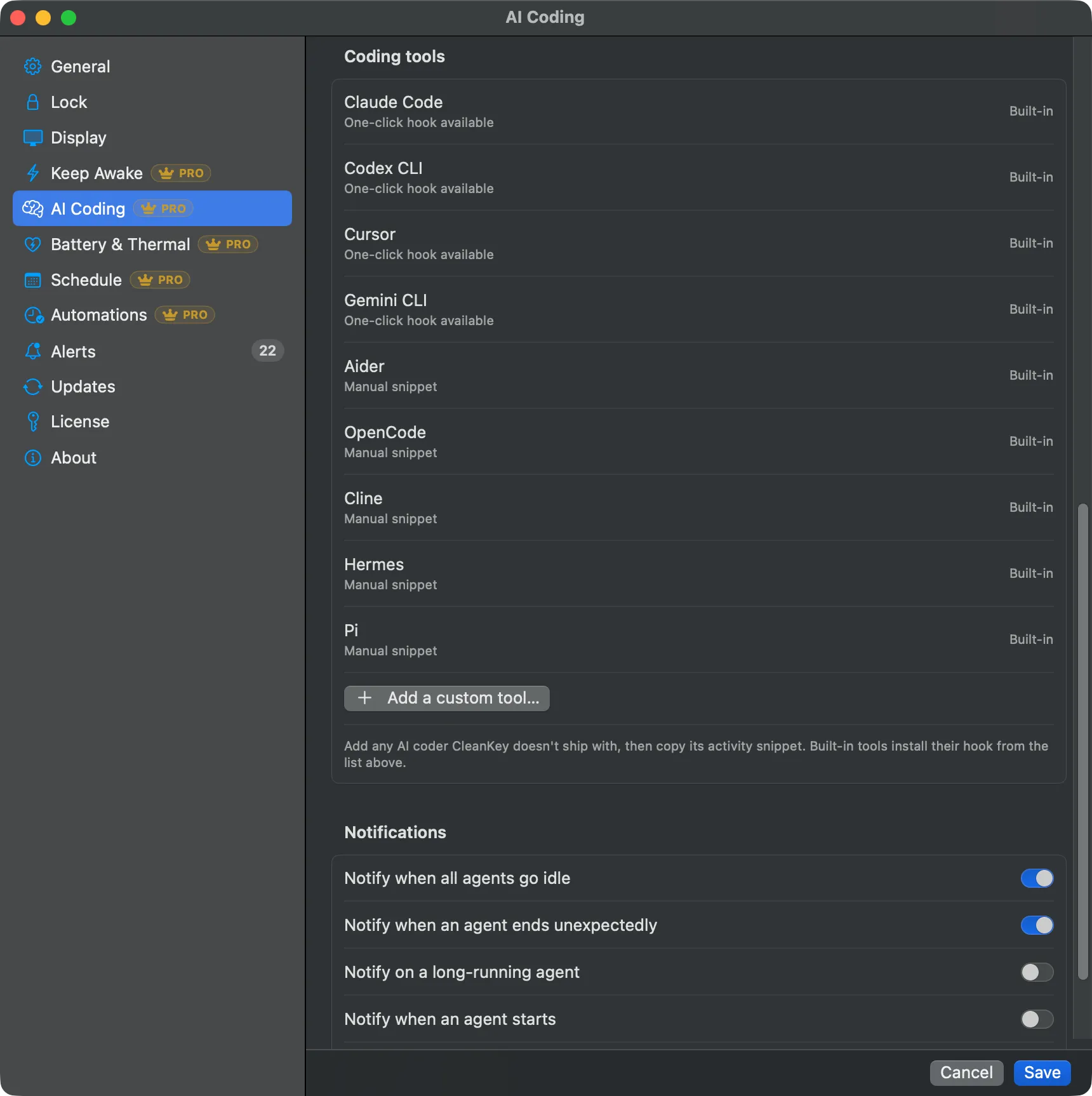
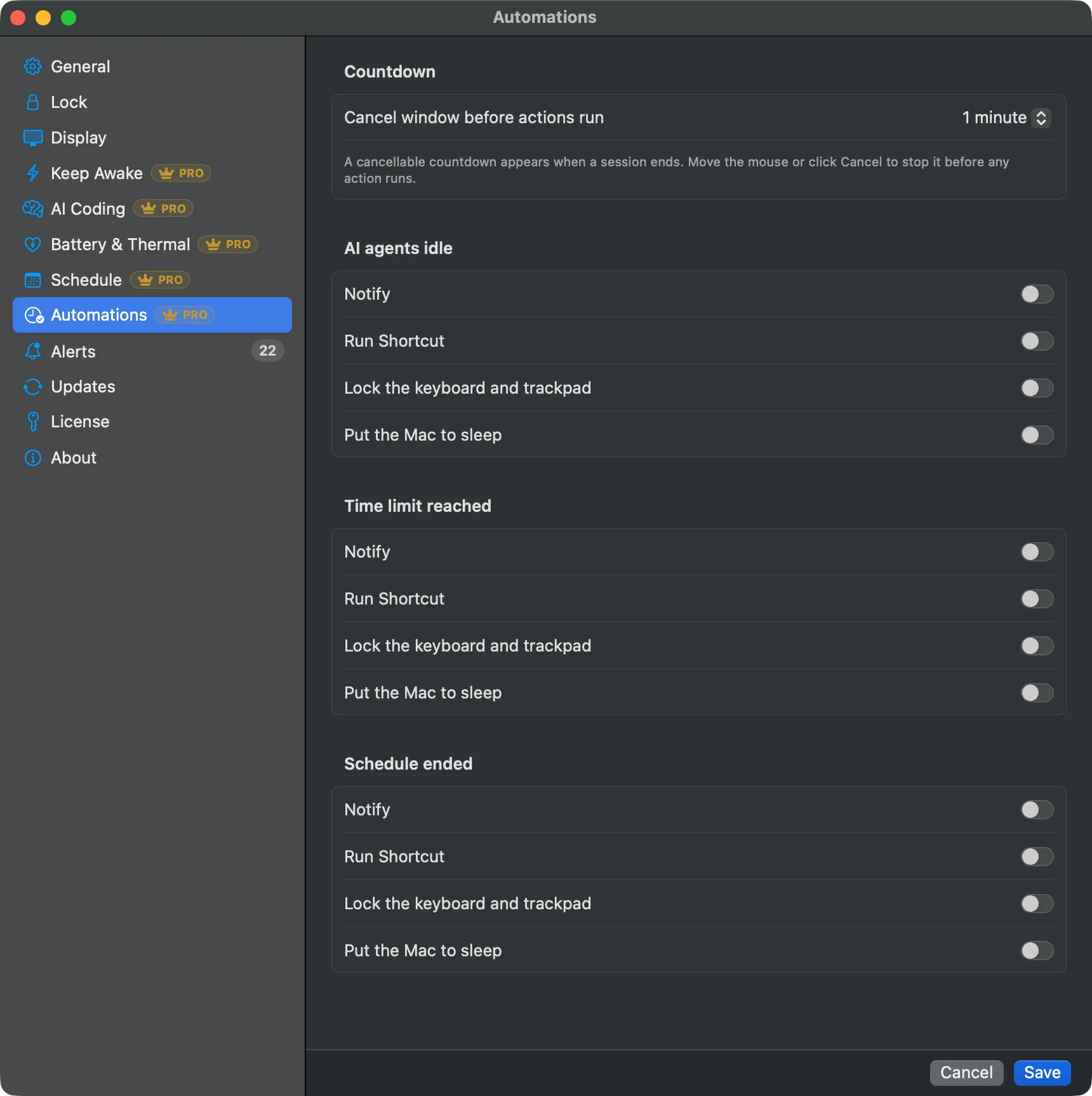
It watches your AI coding agents, Claude Code, Cursor, Codex, Gemini and more, and keeps your Mac awake, lid closed if you want, only while they are working. The moment the last one finishes it can notify you, run your Shortcut, and put the Mac to sleep. And it locks your keyboard so you can clean it. That part is free.
Become a beta tester- macOS 14+, notarized
- In development and testing for ~6 months
- Beta testers get Pro free, for life
- €3.99 in September, €7.99 from October 2026
The three-hour run that died at minute four
You kick off a three-hour agent run, close the lid, and the Mac goes to sleep at minute four. So you prop the lid open with a book and leave the machine running warm all night for a job that finished at 1 AM. Keep-awake apps hold the Mac awake; none of them knows when the work is done.
How it knows: hooks, a process fallback, and a fail-safe
Agentwake installs a tiny activity hook into each coding tool with one click (nine tools built in, custom agents supported), and falls back to process detection for tools without hooks. Every session reports a heartbeat; when the last one goes quiet, the work is done. The design is fail-safe: a missed signal lets the Mac sleep. It never gets stuck awake.
A first look
From overnight Claude Code runs to a clean keyboard
Agents overnight
Start Claude Code or Codex before bed and close the lid. Agentwake holds the Mac awake exactly as long as the run lasts, then notifies you, runs your Shortcut, and lets it sleep.
Renders and backups
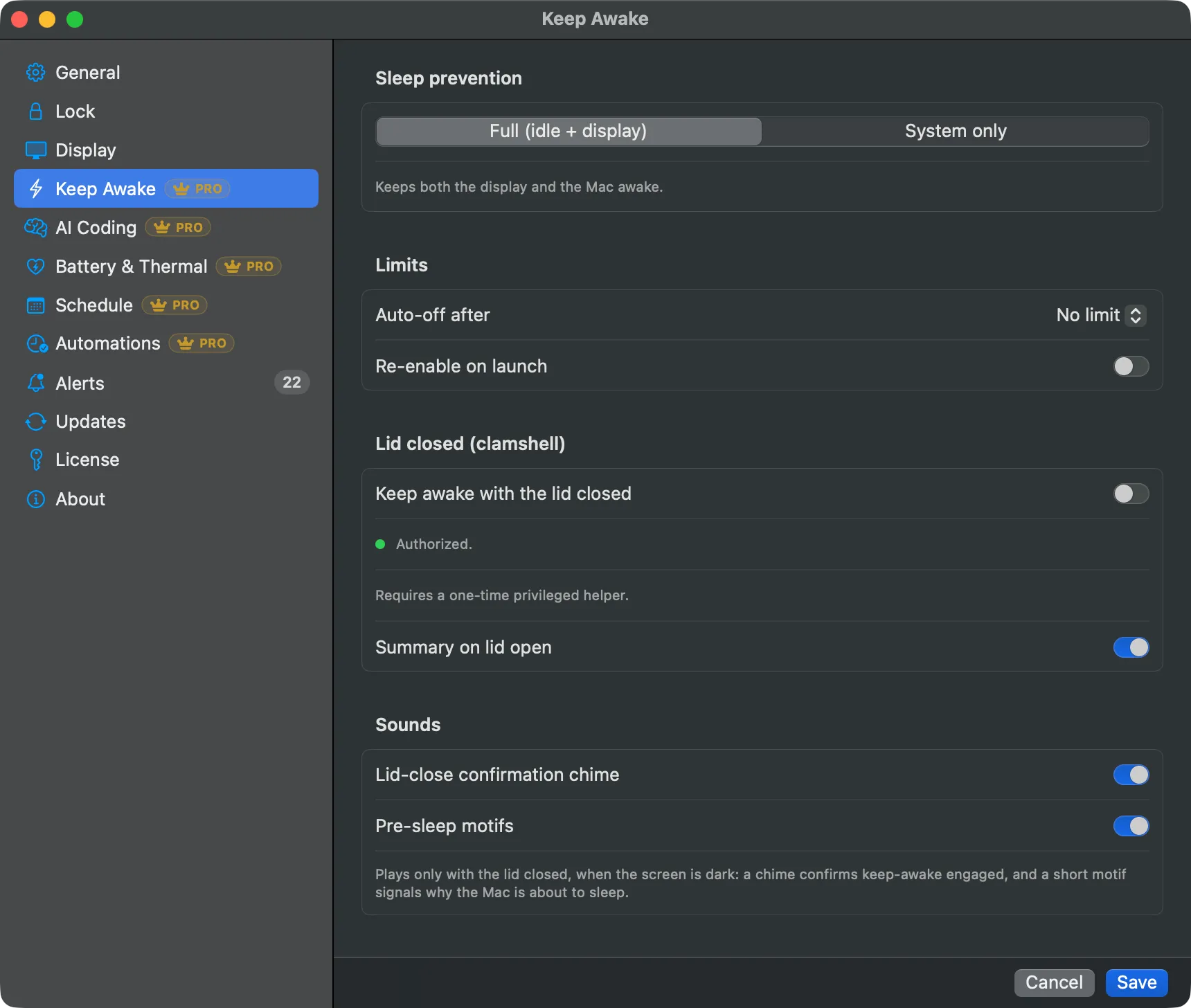
Long exports, builds, and backup jobs get a timed or scheduled hold with battery and thermal guards, and the lid-open summary tells you how it went.
Presentations
A quick menu-bar hold keeps the display awake through a talk or a screen share, then expires on its own. No trip to System Settings.
Cleaning the keyboard
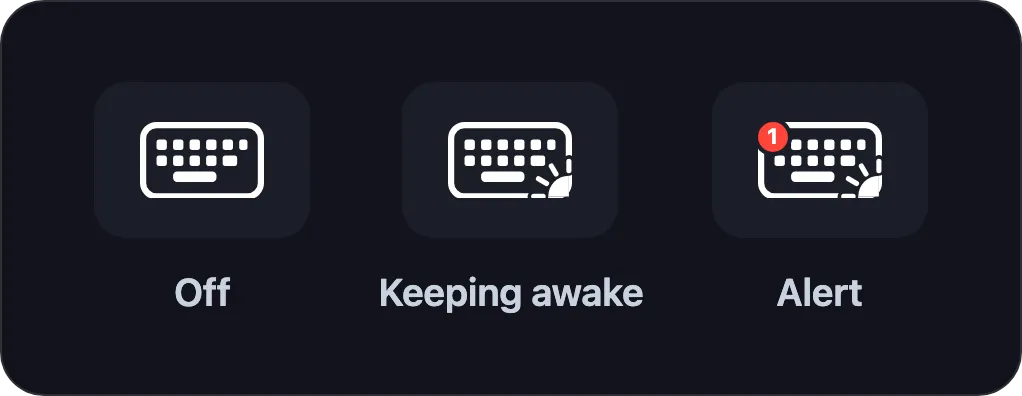
Lock the keyboard and trackpad for a set time, wipe everything down, and triple-press Escape if you need out early. That part is free.
The Amphetamine alternative for AI agents, compared honestly
Amphetamine is excellent and free, and it deserves its reputation. But like every mainstream keep-awake app it has no idea what your agents are doing. Two newer tools do: Adrafinil (free, macOS 26.4+ only) and Agent Caffeine ($9). A third, Vigil (free, macOS 13+), does not detect agents either, but it goes further than Amphetamine on scheduling, profiles, and session history. Here is the honest picture, feature by feature, sources checked July 2026. If you're looking at Agentwake as an Adrafinil alternative, an Agent Caffeine alternative, or a Vigil alternative, the table below has the facts, not the pitch.
| Feature | Agentwake | Amphetamine | Adrafinil | Agent Caffeine | Vigil |
|---|---|---|---|---|---|
| Price | Free for beta testers (lifetime); €3.99 Sept 2026, then €7.99 | Free | Free (MIT) | $9 one-time | Free |
| macOS required | 14+ | 10.13+ | 26.4+ | 13+ | 13+ |
| Detects AI coding agents | Yes(hooks + process fallback) | No | Yes(hooks + process fallback) | Yes(process polling, 5 s) | No |
| Agent tools covered | 9 built-in + custom UI | n/a | 9 hooks + custom via CLI | 40+ allowlist, editable | n/a |
| Awake only while agents work | Yes | No | Yes | Yes | No |
| End-of-session action chain (notify, Shortcut, lock, sleep) | Yes(cancellable countdown) | No(AppleScript for external automation) | No | No | Partial (lock on end only) |
| Agent notifications (idle / unexpected end / long-run) | Yes | No | No | No | No |
| Clamshell: lid closed, no external display | Yes(built-in helper) | Partial (separate Enhancer app) | Yes | Partial (one-time sudo setup on battery) | Partial (AC power only) |
| Lid-close chime + pre-sleep sounds | Yes(chime + 4 motifs) | No | Partial (chime) | No | Partial (session start/end sound) |
| Lid-open summary | Yes | No | Yes | No | No |
| Thermal guard | Yes(pause + auto-resume, configurable) | No | Partial (force-release) | No | No |
| Battery guards (cutoff %, only-while-charging) | Yes(both) | Partial (low-battery auto-end) | No | No | Partial (fixed 20% cutoff) |
| Native scheduling (one-shot + weekly) | Yes | Partial (clock-time triggers) | No | No | Yes(schedule + profiles) |
| SSH-reachable CLI | Yes | No | Yes | No | Yes(Terminal, Shortcuts, CI) |
| MCP tool for agents | Yes | No | Yes | No | No |
| Timed holds from the menu | Yes(presets + readout) | Yes(durations) | Yes(time-boxed) | No | Yes(5 min to 4h + custom, countdown) |
| Session history, metrics, billing, token cost | Yes | No | No | Partial (reads Claude session files) | Partial (last 100 sessions, weekly total) |
| In-app alerts log | Yes | No | No | No | No |
| Keyboard/trackpad cleaning lock | Yes(free) | No | No | No | No |
The mainstream field, briefly: KeepingYouAwake (free, MIT), Caffeinated ($3.99), and Lungo ($4) are manual on/off tools. None of the three detects agents, schedules natively, runs end-of-session actions, or supports a closed lid without an external display.
Where Agentwake stands alone in this table: end-of-session action chains, the agent notifications suite, the dashboard with billing and token cost, an alerts log tied to AI-agent events, a thermal guard that pauses and resumes, configurable battery guards (cutoff percentage and only-while-charging, not a fixed threshold), and the free cleaning lock.
What to tell us, and how
The whole point of this beta is making Agentwake stable and complete before launch. You do not need to write a formal report, a couple of sentences is plenty. What helps most:
- Bugs: what you did, what you expected, what happened instead. A screenshot helps.
- Rough edges: anything confusing, slower than it should be, or harder to find than it should be.
- Feature requests: what is missing from your workflow, and when you would use it.
- Setup friction: anything that tripped you up in the first ten minutes.
GitHub Issues
The preferred channel: issues are trackable, and you see when a fix ships. No template required.
For anything private, or if you just prefer it: reply to your beta invite email, or write directly. I read every message myself.
Why become a beta tester
- You get Pro free, for life. The activation link lands in your inbox right after signup, together with the download.
- The app is already stable: about six months of development and daily testing on real overnight agent runs.
- Your feedback and feature requests decide what ships in the public release.
- The beta closes on 31 August 2026. After that, Agentwake Pro costs €3.99 in September and €7.99 from 1 October 2026.
Frequently asked questions
What is the Agentwake beta program?
Sign up with your email before 31 August 2026 and you get the current Agentwake build plus a free lifetime copy of Pro, delivered by email right after signup. In exchange, you tell us what breaks, what is confusing, and what is missing. After the beta closes, Agentwake Pro costs €3.99 during September 2026 and €7.99 one-time from 1 October 2026.
Is the beta stable enough for daily use?
Yes. Agentwake has been in development and testing for about six months and is already used daily on real overnight agent runs. Beta here means your feedback shapes the final release, not that the app crashes on you.
What happens after the beta ends?
Beta testers keep Pro free for life, updates included. New users pay €3.99 during September 2026, then €7.99 one-time from 1 October 2026. No subscription either way.
Does it really keep the Mac awake with the lid closed?
Yes, with no external display, through a privileged helper you approve on first use. The helper holds a lease that the app renews every few seconds; if Agentwake ever crashes, the lease expires and the Mac sleeps normally. It cannot get stuck awake.
Why does Agentwake need the Accessibility permission?
The keyboard lock swallows input events system-wide, which macOS only allows to apps you trust in System Settings, Privacy & Security, Accessibility. The keep-awake side does not use it.
Does Agentwake read my code or my conversations?
No. The agent hooks report only 'this session is alive' heartbeats. The optional token-cost estimate reads usage and model fields from local Claude Code session files, only after you opt in, and never the conversation content. There is no telemetry.
What happens if an agent hangs or a hook misses?
The Mac sleeps. Every detection path fails toward sleep, never toward stuck-awake. Battery cutoff and thermal pause add two more layers of protection.
Why is Agentwake not on the Mac App Store?
The App Store sandbox forbids the two things Agentwake exists to do: suppressing input events and installing the lid-closed helper. The DMG is signed and notarized by Apple's process, and Sparkle keeps it updated.
Is it a subscription?
No. One payment through Polar, the license key is yours, and every update is included.
How do I get help?
Email stefferri@icloud.com and I will get back to you.